
Claude Code meets Obsidian
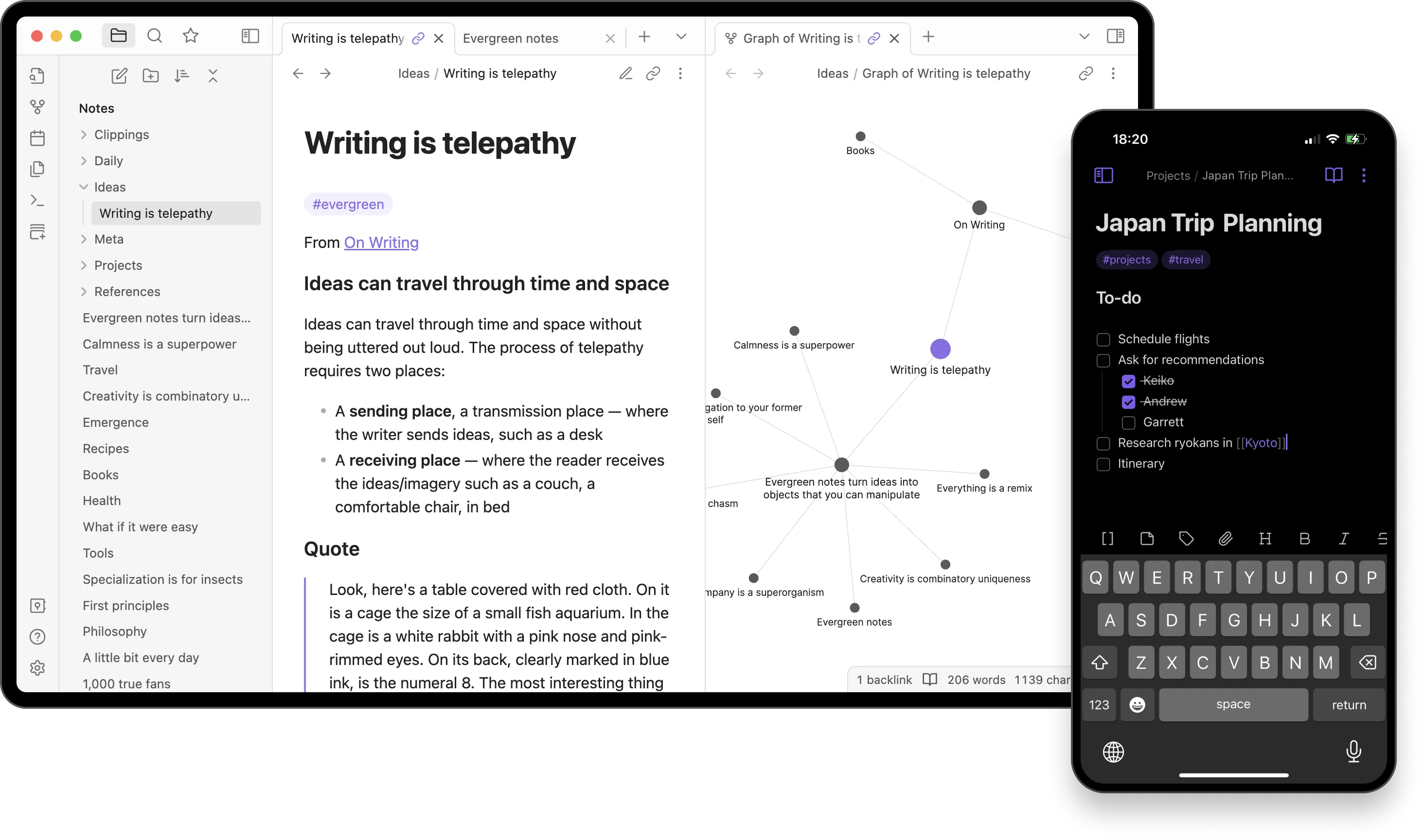
For the last few weeks, I’ve been running Claude Code directly in my Obsidian vault full-time. Not through a plugin, I’m just running claude in the terminal, pointed at my notes folder.
I’m good at capturing information, terrible at maintaining it. Project notes, research, receipts, random measurements, it all goes into the vault and slowly becomes useless. Inconsistent formatting, no clear home. I knew I’d written something down but actually finding it when I needed it? Good luck.
Last year we built a fence. I had notes on measurements, materials, photos of receipts, permit details. All captured, all scattered. When my neighbor needed the breakdown to split costs it took me hours to piece together. I made mistakes, they caught them. Embarrassing, and exactly the kind of thing a “second brain” is supposed to prevent.
With this system that fence situation is maybe five minutes.
The combination works because Obsidian is just markdown files. No proprietary format, no database to query. Claude reads and writes the same files I do which means my meeting notes, project docs, code snippets, D&D campaign notes, everything becomes context Claude can work with.
This isn’t AI writing for me. It’s AI working alongside me, with access to my actual second brain. It’s blending the fun parts of creativity and human thought with the monotony of process that computers are so good at.
Why this matters
Your typical LLM chat interfaces are ephemeral. You explain context, get a response, close the tab. Next session, you start over. Some have memory, but honestly it’s pretty shitty.
Claude Code + Obsidian flips this. My vault becomes persistent memory, it’s at the front. The CLAUDE.md file in my notes folder contains instructions Claude reads every session and gets a lay of the land so I don’t have to educate it each time. Define a workflow once, it applies forever.
To me though, the real power isn’t in Claude remembering instructions. It’s in Claude having access to everything I’ve captured, regardless of how half-assed it is. Meeting notes from recent client calls, project requirements I drafted months ago, research I’ve accumulated on various topics or interests, code scripts and technical documentation, character sheets, NPC backstories and world-building for my D&D campaigns.
When I ask Claude to help with something, it already knows where everything is and does the thing. I can crack my knuckles and grab a beer (well actually its tea, I’m doing Dry January…)
What I’ve built
I’ve extended Claude Code with custom agents and skills that make this workflow practical.
Research agents let me browse the web, gather information, and save findings directly to my Obsidian notes. Instead of relying only on Claude’s built-in tools, research that would take me hours of tab-switching happens in the background.
The /format command reformats notes to match my vault’s style guidelines. Headers, lists, links, Claude applies consistent structure across whatever notes I throw at it.
The /sort command processes my inbox folder, figures out where notes belong based on content and my folder structure, adds appropriate tags, and moves them to their proper locations.
These commands solve a problem I’ve had for years. I’m great at capturing information, terrible at organizing it. Claude handles the maintenance work I always avoided.
Nerding out with D&D
This is where the collaboration aspect really shines.
Running D&D campaigns means generating a lot of interconnected content. NPCs, locations, plot threads, item descriptions, session notes. Obsidian’s linking makes these connections visible. Claude’s access to the vault makes them actionable.
When I’m prepping a session, I can riff ideas with Claude while it references my existing world-building. Need an NPC for a tavern scene? Claude can check my existing characters, understand the regional politics I’ve established, and suggest someone who fits the world I’ve built.
I stay in creative control while Claude handles consistency and mechanical details. I make the interesting decisions, which honestly is the fun part for me. This keeps me in flow instead of stopping to flip through notes or cross-reference details.
I remember seeing a post with something like “AI amplifies thinking, not just writing.” That captures it perfectly. I’m not handing off the creative work, I don’t want to! I’m removing the friction that breaks my creative momentum.
The technical reality
This isn’t complicated to set up. Install Claude Code, run it from your Obsidian vault directory, create a CLAUDE.md with your vault’s conventions, optionally add custom commands in .claude/commands/.
No plugins required for the basic workflow. Claude’s file access handles everything.
For more advanced setups, MCP servers can give Claude deeper vault integration. Search capabilities, metadata access, connections to other tools. But start simple.
What makes this different
Other AI tools for Obsidian exist. Copilot, Smart Connections, various ChatGPT integrations. They work fine for chat-style interactions or semantic search.
Claude Code is different because it’s agentic. It doesn’t just answer questions. It’ll edit a note, create a new one, move files around. It operates as an actual participant in my knowledge management system.
It can batch things across hundreds of files, chain workflows together, run stuff on a schedule. Custom slash commands encode complex procedures.
The vault becomes a workspace Claude actively maintains, not just a corpus it reads.
The balance
I’m careful about what I delegate. Claude handles the grunt work like formatting, linking, research, organizing. This leaves me to decide what matters, make the creative calls, and review anything before it goes out.
This isn’t about automating thinking. It’s about getting stuff out of the way so I can actually think. When organizing notes feels effortless, I capture more. When research doesn’t break my flow, I go deeper.
Getting started
If you’re curious about this workflow, start with one use case. Don’t try to automate everything. Pick something annoying you actually avoid doing.
Write your conventions down. The CLAUDE.md file forces you to articulate how your system works. This clarity helps even without AI.
Keep humans in the loop. Review what Claude does. Git history helps here. Trust builds gradually.
Expect iteration. Your first commands won’t be perfect. Refine based on what actually happens.
The useful part isn’t the technology itself. It’s having an assistant that understands your specific system.
Where this goes
What’s clear is that markdown-based knowledge systems and agentic AI fit together naturally. Your notes become context. Your conventions become instructions. There’s less friction between saving something and actually using it.
For me, this solved a decade-long problem. I finally have a second brain that actually stays organized.